
Skip to content
Ask by email

Features

HARU photo booth features

An overview of four photo modes and the separate PhotoCard feature.
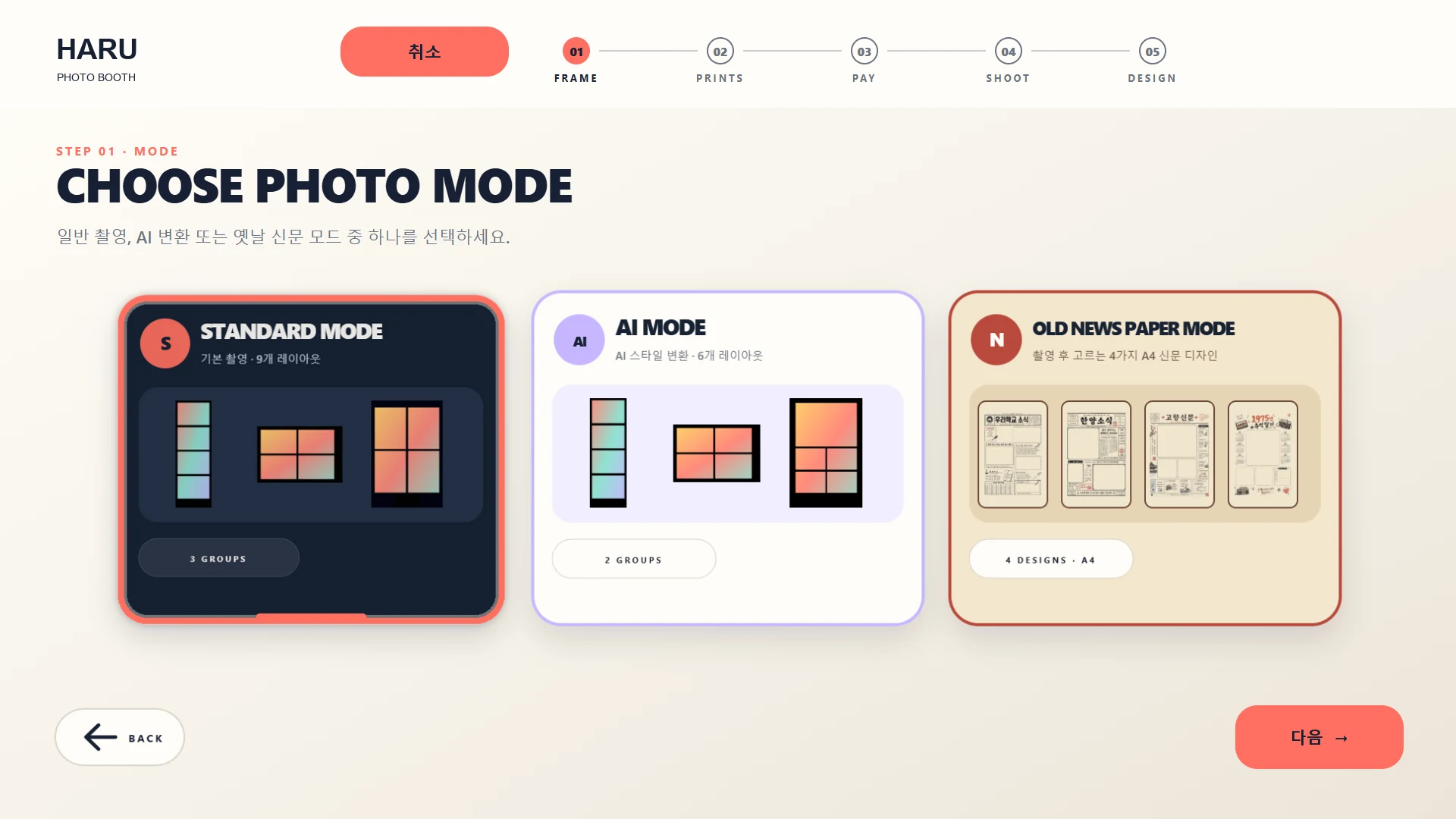
Standard — Choose a frame, capture photos, select favorites and preview the layout. — HARU software demo screens with sample content
HARU software demo screens with sample content / 01 · View the screen

View the screen

Zoom level: 100%

After zooming, scroll horizontally and vertically to inspect the screen.

01

Standard

Four-cut photos and frame selection

02

Newspaper

Print in a newspaper layout

03

AI

Configured AI styles

04

Sticker

Cut out and decorate sticker photos

Launching soon

Photo card

PhotoCard feature

Upload a photo on your phone, edit the front and back at the kiosk, and preview both sides before ordering a print.

Photo card ↗

HARU PHOTO BOOTH

Sales and device status in one place

Use the online operations screens to review branch transactions, photo and QR sharing records, and device status.

Explore dashboard screens ↗
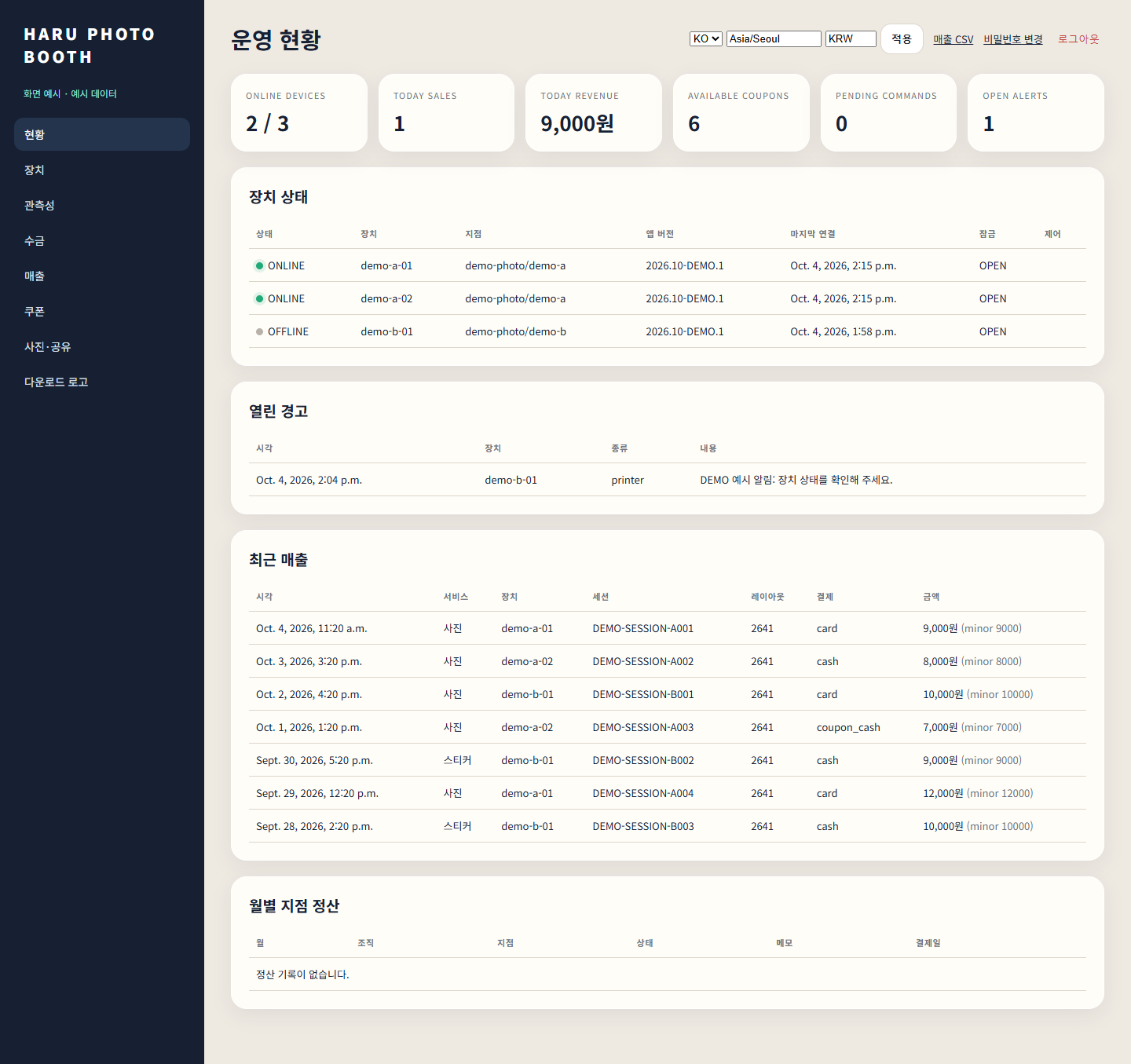
Store operations dashboard overview screen with sample data — Screen example · sample data
Screen example · sample data / 01 · View screen larger

Open a screen to zoom and pan.

View screen larger

Zoom level: 100%

After zooming, scroll horizontally and vertically to inspect the screen.